How to Filter Webhook Logs by Bot ID
Last updated: October 29, 2024
While the Webhook Message Viewer doesn't currently support filtering by specific bot statuses like "done", you can filter messages for a particular bot using the tag system. This method allows you to view all status change events for a specific bot.
Steps to Filter Messages by Bot ID
Open the Webhooks tab in the Recall dashboard
Locate the filter or tag input field
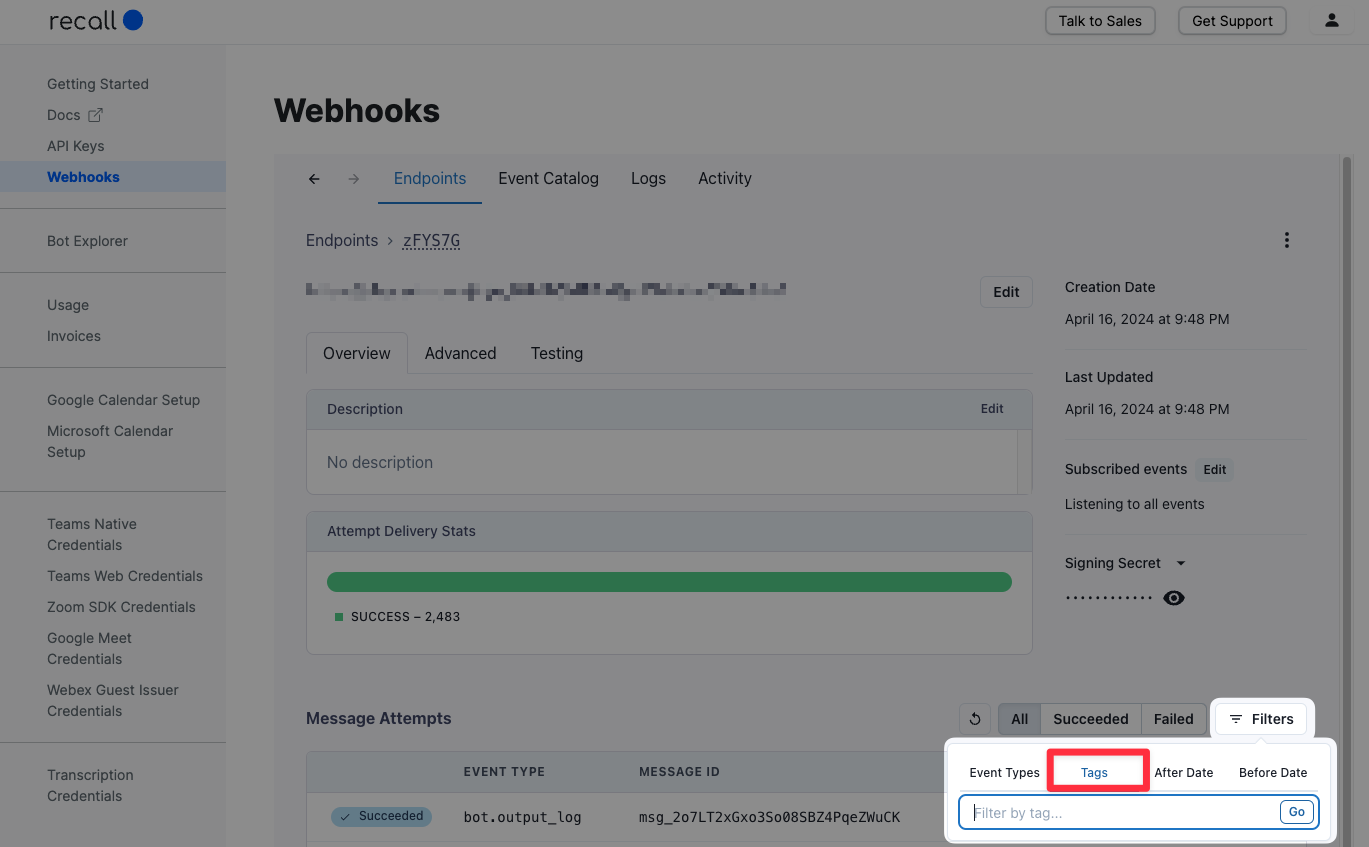
Enter the tag in the following format:
bot.id-{BOT_ID}Replace
{BOT_ID}with your actual bot's UUID.
e.g. for bot ID8ef3d462-bdcd-44dc-9d5a-af244449a209, you would enter the following tag:bot.id-8ef3d462-bdcd-44dc-9d5a-af244449a209
This will display all webhook events for the specified bot.